
You can use a FTP collector to collect logs from files uploaded to the LogPoint using FTP clients.
Go to Configure >> Built-in Collectors/Fetchers >> FTP Collectors.
Select the LogPoint instances where you want to configure the FTP collector.
Click Next.
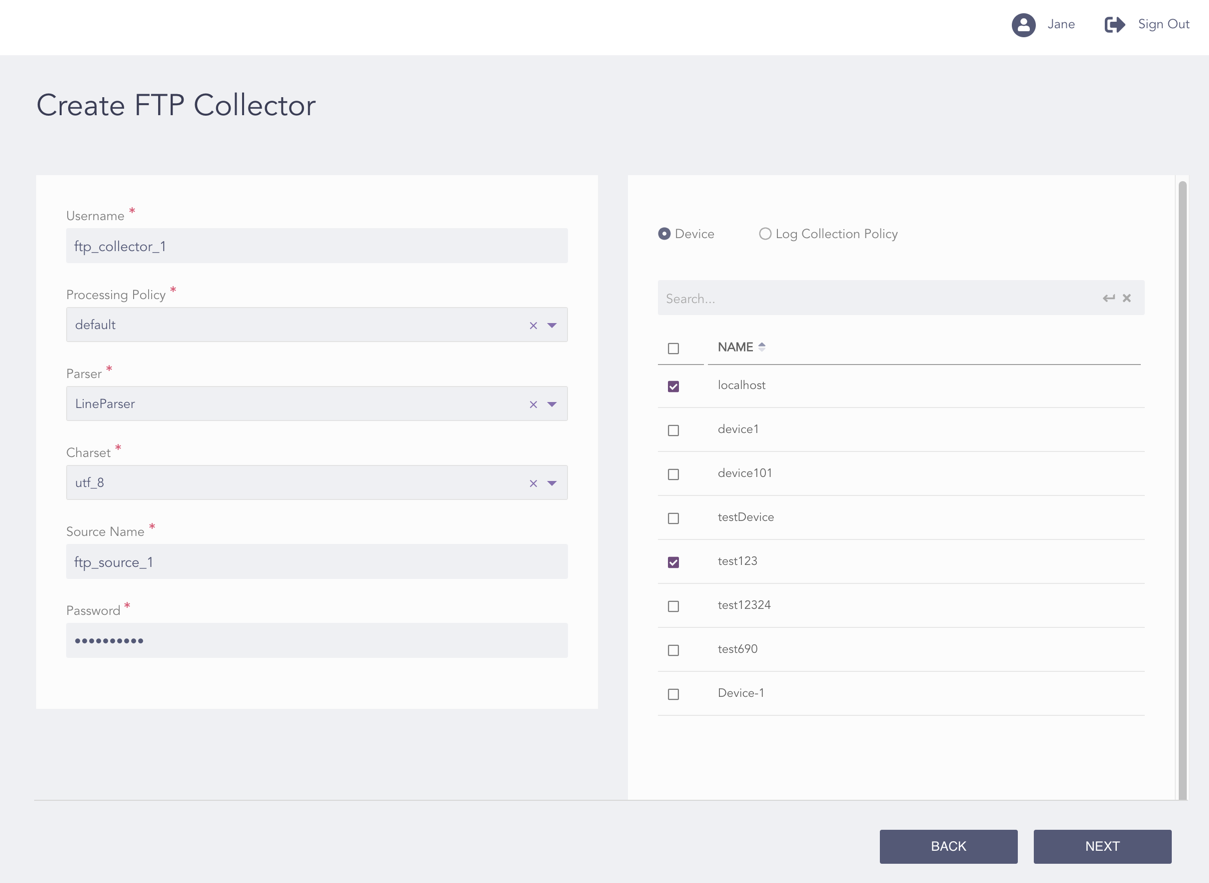
Configuring the FTP Collector
Enter a Username. Clients need the credentials to upload files to the configured FTP server.
Select a Processing Policy and a Parser.
Select an encoding format from the Charset drop-down.
Enter the Source Name, i.e., the name of the file to be uploaded to the collector; it works as the unique identifier for the collector.
Enter the Password of the FTP server.
You can either configure the FTP collector to a device or a log collection policy.
If you select Device, select all the devices where you want to configure the collector.
Note
For multiple LogPoint instances, you can select the devices used by the selected LogPoint instances only.
If you select Log Collection Policy, select all the log collection policies where you want to configure the collector.
Click Next.
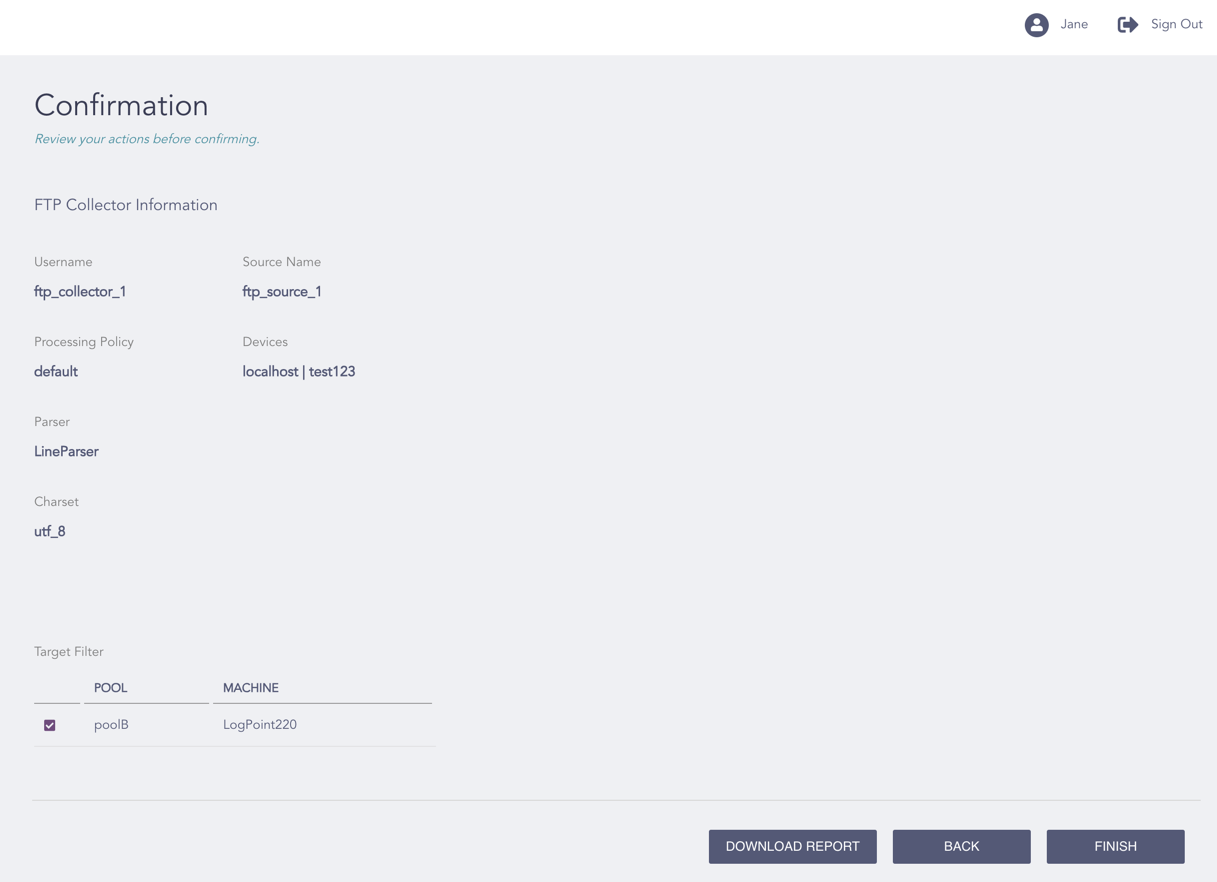
Confirming the Changes
Review your changes. You can go Back to make any changes if necessary.
Note
Click Download Report to save the summary of the task in PDF.
Click Finish.
Click OK.